When one team manages Wi-Fi across many locations, or when a provider manages Wi-Fi for many clients, everyone needs the right amount of access and no more. Portalista handles this with multi-tenant accounts and role-based permissions.
Assign sites and policies to staff
Portalista supports different user types, such as admin and staff, and you can assign specific sites, policies, and captive portals to each staff member. A branch manager sees only their own location, while head office sees everything.
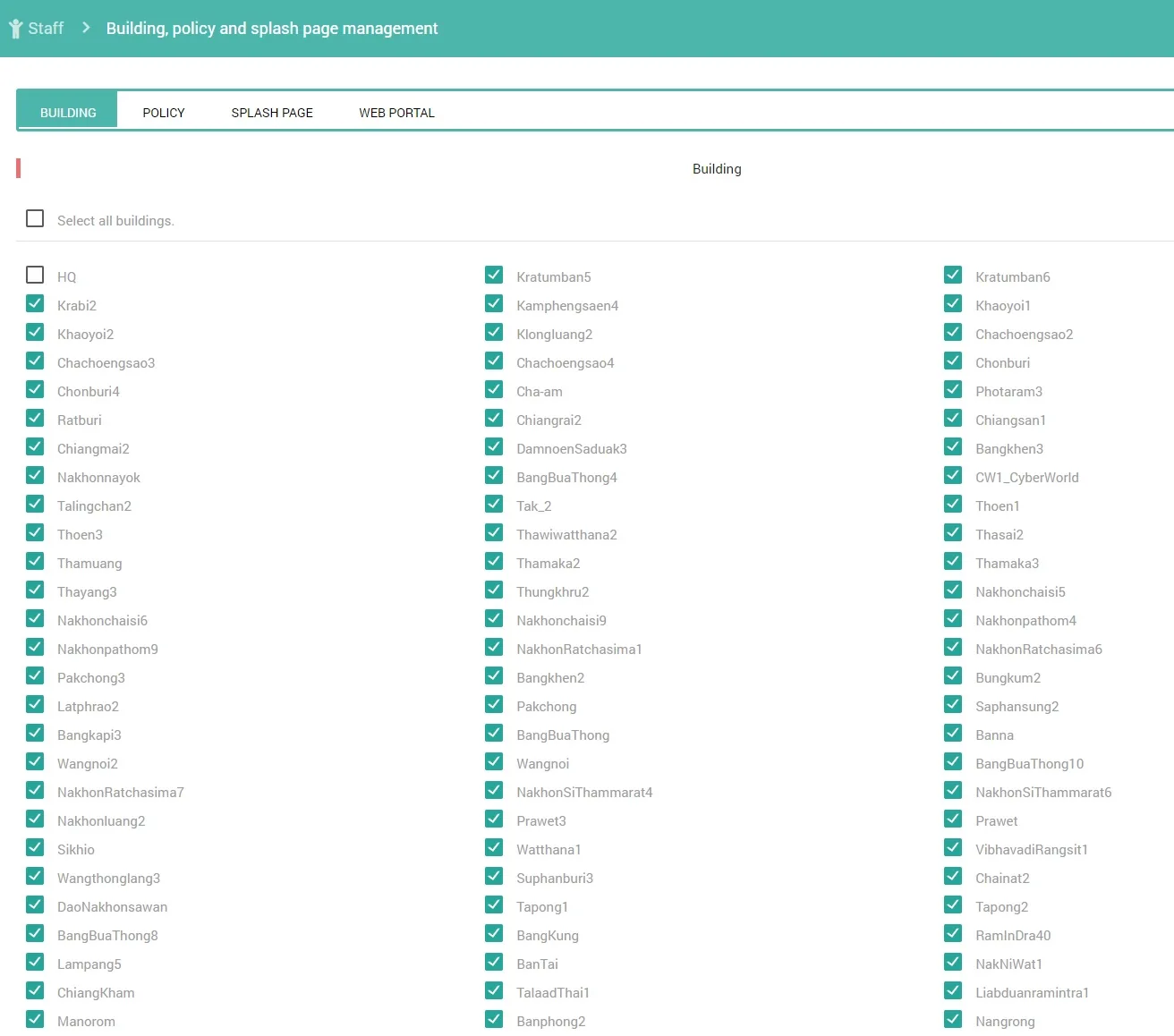
Fine-grained permissions
Beyond site assignment, Portalista lets you enable or disable individual capabilities per role: creating users, importing from Excel, exporting user data, resetting passwords, managing login codes, viewing the analytics dashboard, and more. You grant exactly what a role needs.
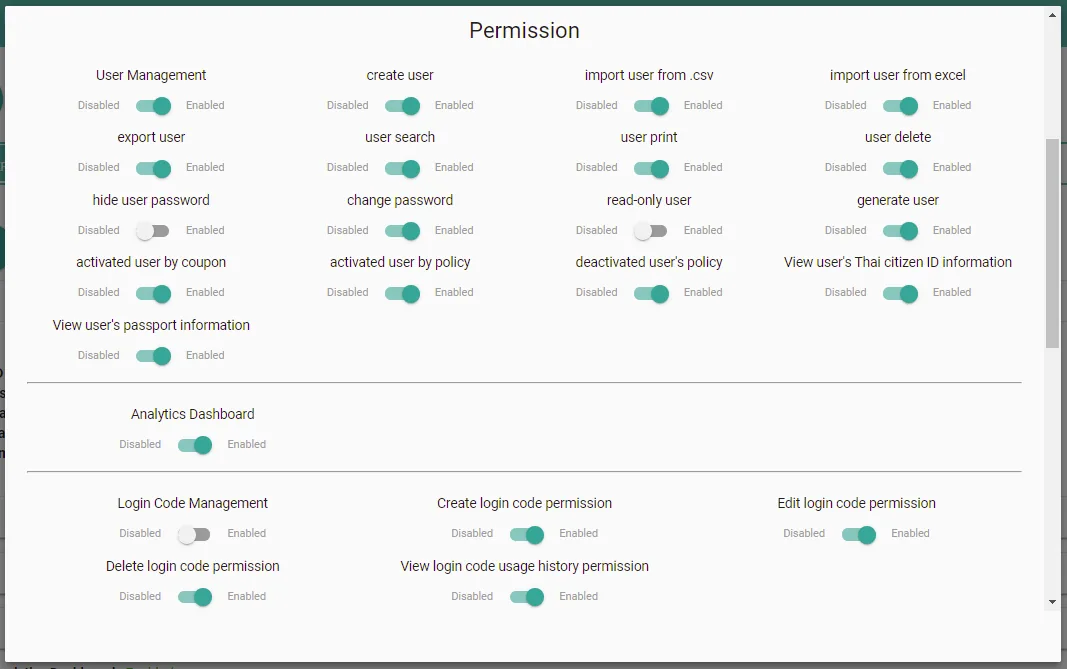
Who benefits
- Retail and F&B chains: head office sets standards, branches handle day-to-day vouchers.
- Managed service providers: one platform, many client tenants, cleanly separated.
- Property and building managers: delegate tenant Wi-Fi without sharing the master account.
This builds on the idea of running many locations from one place, which we introduce in managing multi-branch Wi-Fi from one dashboard.
Need a Portalista hotspot solution?
Talk to our team about the specific needs of your project.