The Wi-Fi login screen is one of the few moments you have every visitor's full attention. A generic default page wastes it. A well-designed splash page reinforces your brand and can even carry a promotion, all before the guest starts browsing.
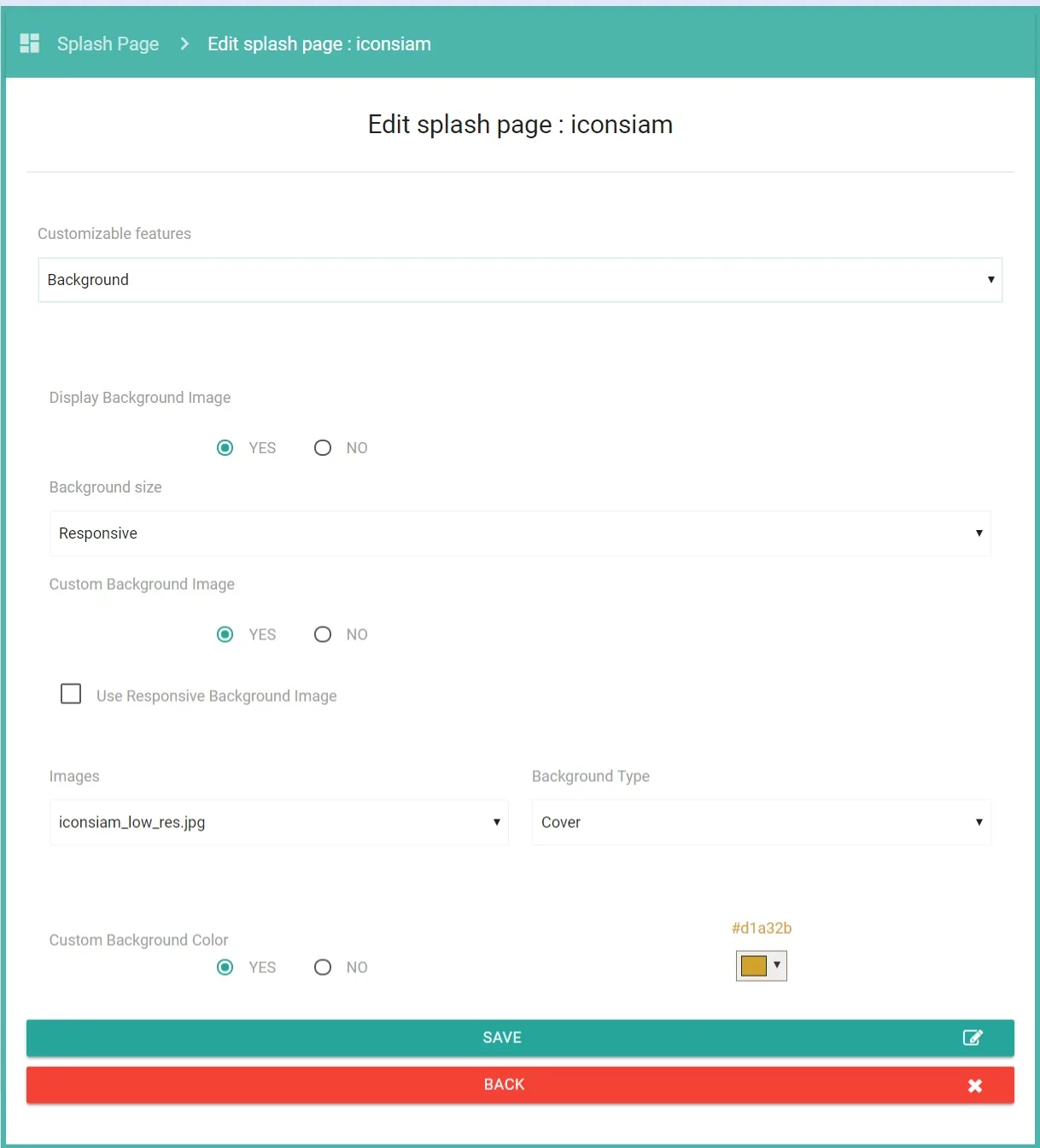
What you can customize
- Background: upload a full-screen image or set a background color, with a responsive option for mobile.
- Login box: adjust transparency, borders, and background color so the form fits your design.
- Colors and fonts: set button, checkbox, and label colors, plus label font size, to match your brand.
- Content: add a help message, a custom footer, and your terms of service.
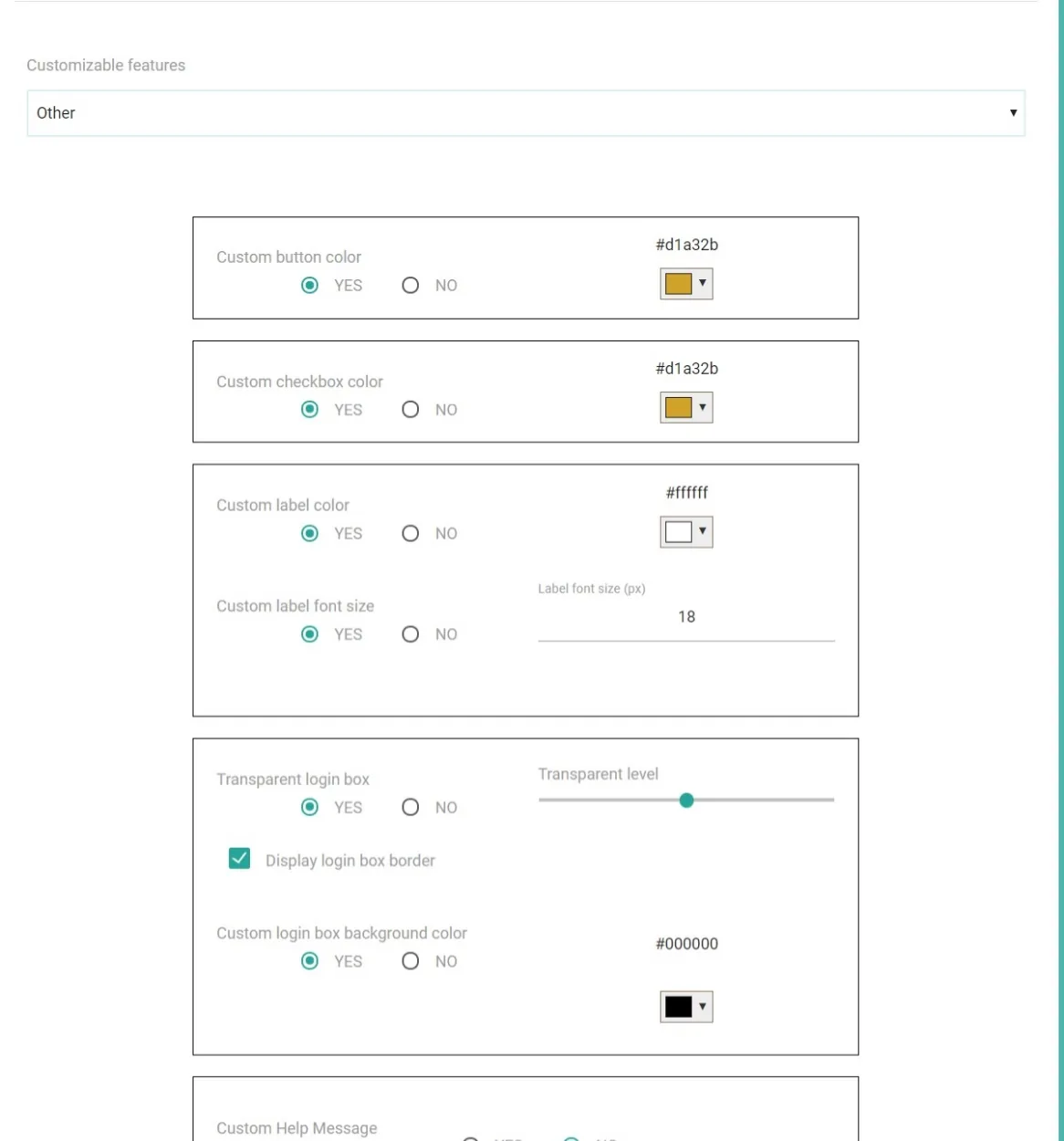
Per-site branding
Because splash pages are managed per site, a hotel group can give each property its own look, and a franchise can keep every outlet visually consistent. You design once, assign it to the sites that should use it, and update it centrally when the campaign changes.
Make it work harder
A splash page is also where you choose how guests sign in. Decide that alongside the look, using our guide to Wi-Fi login methods. If your goal is capturing visitor details, align the design with collecting guest data through a Wi-Fi login.
Need a Portalista hotspot solution?
Talk to our team about the specific needs of your project.