Understanding how a nurse call system actually works helps hospitals and clinics figure out the right configuration for their facility. If you are not familiar with the components yet, start with what a nurse call system is. Here's the full sequence, from the moment a patient calls to when a nurse responds.
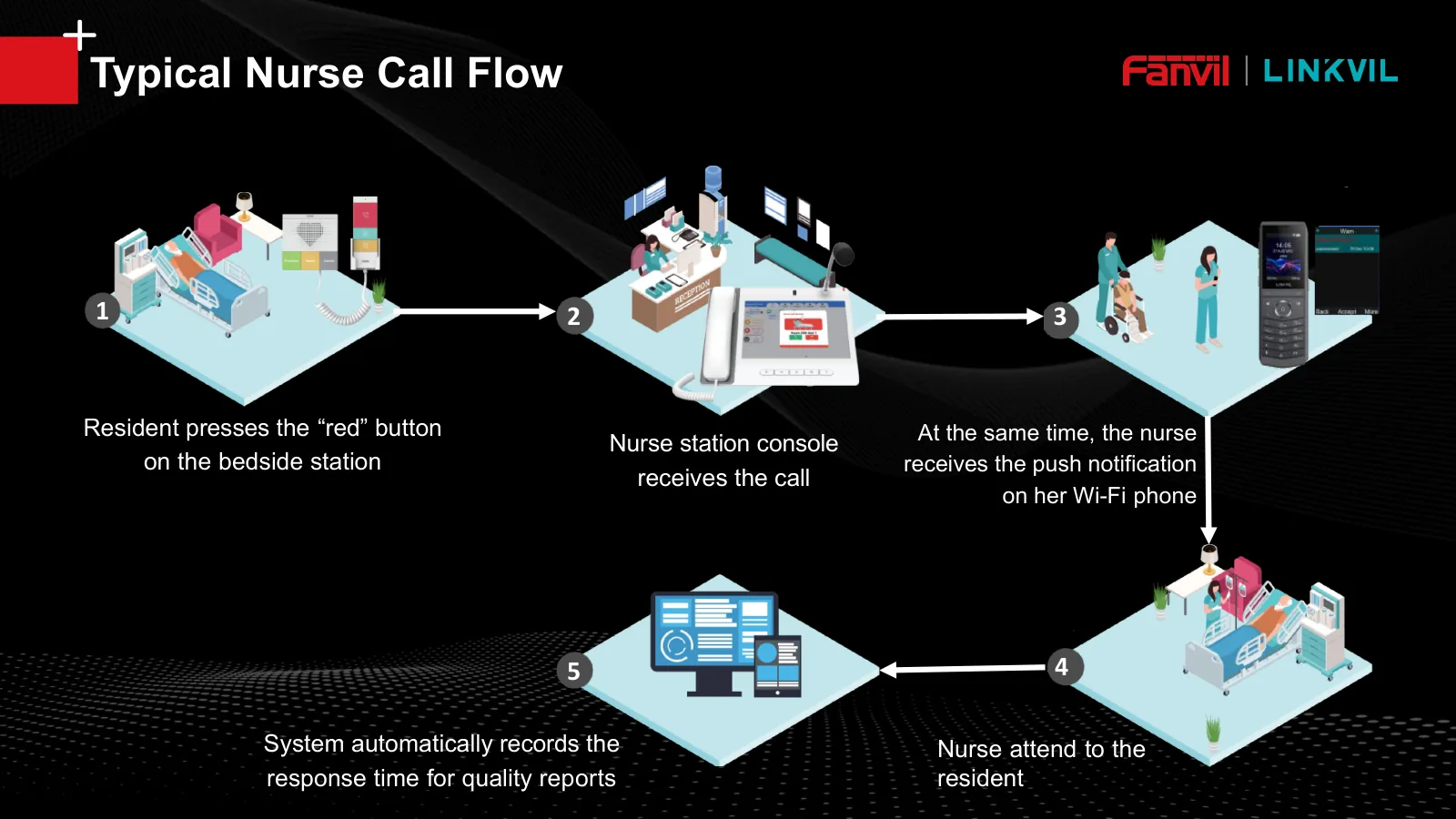
Step 1: The patient presses the call button
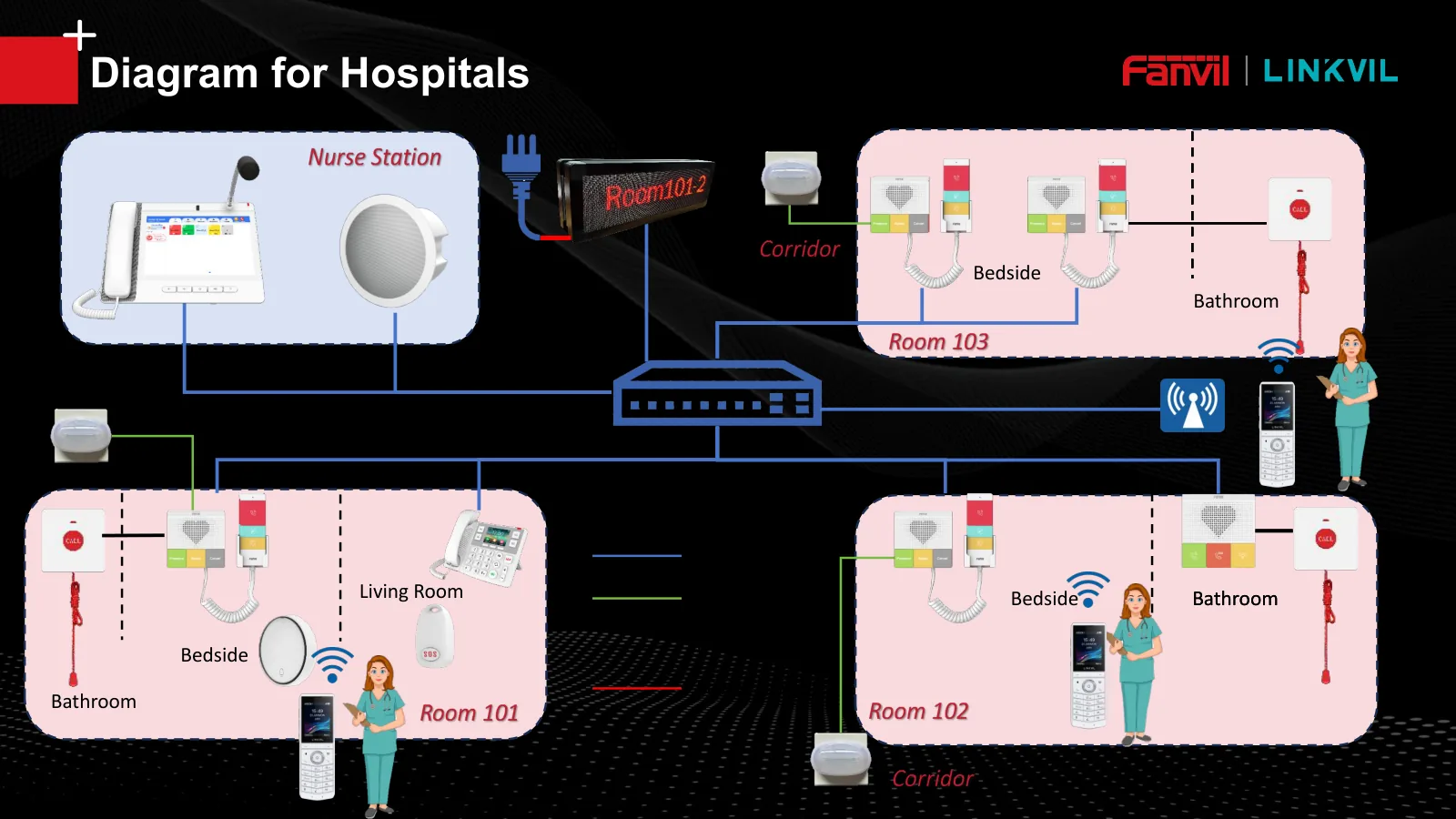
A call can start from a few different points: a button on the Y501-series bedside station, a portable wireless KT10/KT20 button worn or held by the patient, or a KT31 pull-cord button installed in the bathroom. Each type of button can be configured with a different priority level, so a bathroom call, for example, is automatically treated as an emergency.
Step 2: The signal triggers the corridor light
The moment the button is pressed, the CL-01 corridor light above the room door lights up in a color matching the call type: red for a nurse call, fast-flashing red for a bathroom emergency, yellow for an assist call, and blue for a code blue. This lets a nurse already in the hallway know exactly which room needs attention without checking a screen.
Step 3: Notification appears on the nurse console and corridor display
Alongside the corridor light, the A320i nurse station console shows the room and bed number of the patient calling, complete with its priority color. For facilities with a lot of rooms, a CMD-01 corridor display (a double-sided LED screen) can also show up to 30 prioritized call messages at once, so any staff member passing by can see the status without standing at the nurse console.
Step 4: The nurse still gets notified even when the station is unattended
If the nurse station is left empty, the call is not lost. The system forwards the notification to the nurse's handheld Wi-Fi phone (W610W/W620W series), so staff still know a call came in while making rounds. A201/A212 SIP speakers in the area can also sound a reminder.
Step 5: The nurse responds through two-way communication
From the nurse console, staff can talk directly to the patient through the bedside station before physically walking over, useful for gauging how urgent the situation actually is. For emergency calls, the system can be set to dial several numbers in sequence and require a DTMF confirmation code so it is answered by a real person. A bedside station with a camera even allows video communication, which helps a lot when assessing a patient's condition visually from a distance.
Step 6: The call closes and gets logged
Once resolved, the system logs the time the call came in and the response time, data that's useful for performance evaluation and compliance audits.
The whole process runs over the same IP/SIP network, which means the entire system can integrate with a hospital's existing network infrastructure without needing separate cabling.
Want to figure out the right configuration for your facility's layout?
Our team can help design a nurse call system workflow that fits your specific needs.